Watch Riley reconcile a full month of transactions
No signup required—just click through the demo. This is the real Reconcilify interface with sample data from 'Riverbend Aesthetics,' a fictional med spa group.
Every feature you see is production-ready.
See the actual product interface
This is exactly how Reconcilify looks and feels. Monitor transactions, explore your dashboard, and see how AI-driven reconciliation transforms your workflow.
Desktop preview shown. The product also supports mobile workflows (streamlined review + exceptions).
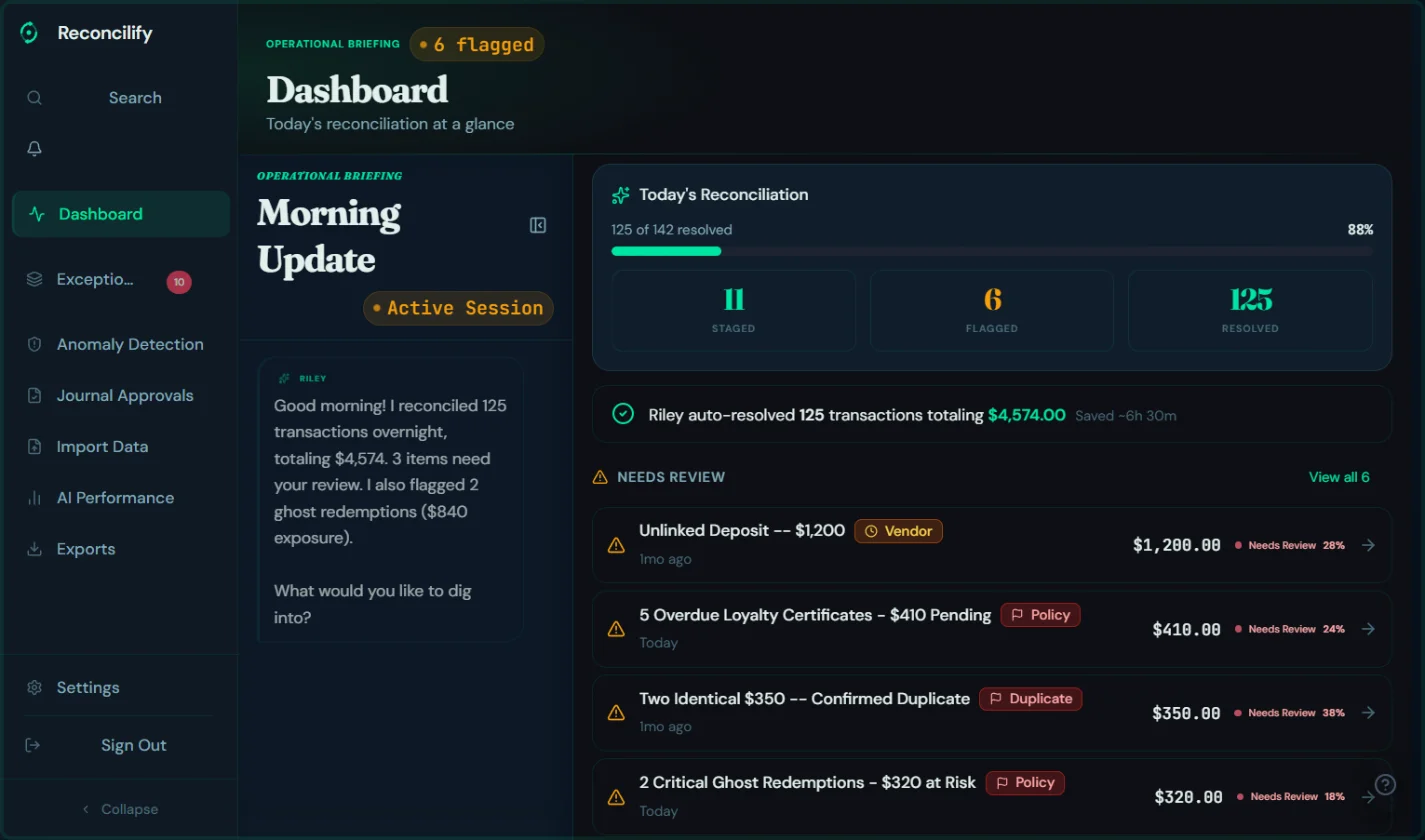
Optimized for both light and dark modes across all modern med spa workflows
One confidence example
See how Riley highlights discrepancies and what the exception review looks like.
Your sandbox experience
You'll walk through one reconciliation cycle from import to resolution:
- 1Auto-Matching: Watch Riley process 94% of transactions automatically—with confidence scores explaining why each match was approved.See auto-resolved items
- 2Exception Handling: See how Riley flags a missing Allē reimbursement, an unexpected CareCredit fee, and a timing mismatch between POS and bank.Review exceptions
- 3Plain-English Explanations: Read the actual explanations Riley provides: what's wrong, why it happened, and what to do next.See Riley's analysis
- 4Resolution Workflow: Walk through resolving an exception—from Riley's flag to your approval to the reconciled result.Try the workbench
- 5Month-End Summary: See the final reconciliation report you'd share with your bookkeeper or CPA.View ROI snapshot
Open the sandbox and follow these steps at your own pace.
Open Interactive Demo (Sample data)Sample data only - no real transactions, no PHI.
Want the full ROI calculator?
Use your own volumes to estimate time saved and revenue recovered.
Open ROI CalculatorReady to try it with your data?
Join the waitlist for early access. We'll help you connect your systems and run your first real reconciliation.